Make Time Tracking for Invoicing Easier — Save Hours and Automate the Invoicing Process

Turn billable hours into accurate invoice documentation without manual data entry. By tracking billable hours and connecting them to your invoicing workflow, you can spend less time processing invoices and more time running your business.

Trusted by many

From approved hours to invoice-ready data — automatically

No spreadsheets. No re-entering hours. No chasing down missing information. Turn approved time reports, expenses, and mileage into accurate invoice documentation automatically. With your customer agreements and rates already in place, tracking billable hours becomes a seamless part of your invoicing process.

Flexible customer agreements

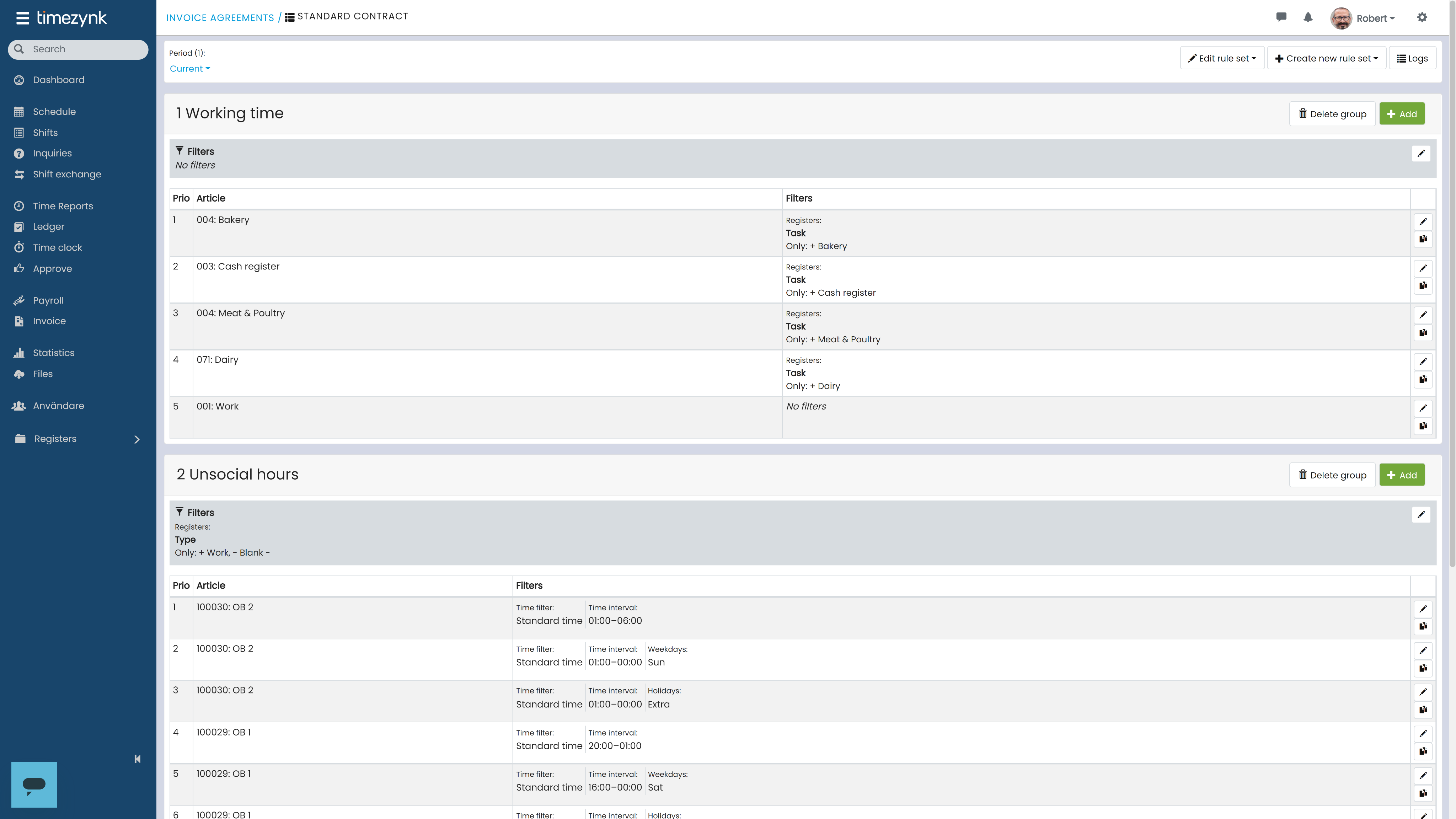
Every customer has different requirements. Create invoice agreements that define how different types of work should be billed, based on factors such as time intervals, weekdays, customers, tasks, and tags. This gives you greater control over how tracked hours are used for invoicing.

Manage customer-specific pricing with ease

Create price lists with different rates and connect them to your invoice articles. Assign the right pricing to each customer and make sure your invoice documentation always reflects the correct rates. This helps ensure that billable hours are invoiced at the right rate, without manual calculations.

Automate invoice processing

Turn approved time reports into accurate invoice documentation automatically. Apply your invoicing rules and pricing to the relevant time reports, helping you automate invoice processing and reduce manual work. Generate invoice documentation for multiple customers with one click and keep your invoicing process running smoothly.
Dashboard mockup

Review invoices before transfer

Get a clear overview of your invoice documentation before transferring it to your invoice system. Review the details, adjust when needed, and make sure your billable hours and rates are correct before completing the transfer. With one click, transfer invoice documentation to multiple customers at once.

Integrate with your invoicing system

Connect your tracking and invoicing workflow with the system you already use. Transfer invoice documentation directly to your invoice system and avoid unnecessary manual data entry, keeping your workflow connected from approved hours to completed billing.

Track invoice transfers in real time

Keep track of your invoice transfers directly in your invoice workflow. See which documents have been successfully transferred and quickly identify any issues that need your attention.

FAQ

What is invoice documentation?

>

nvoice documentation is the information used as the basis for creating an invoice, such as working hours, expenses, mileage, customer details, and billing rates. It provides a clear overview of what should be billed.

How do you create invoice documentation?

>

To create invoice documentation, collect the relevant working hours, expenses, mileage, and customer information, then apply the correct billing rules and rates. Tracking billable hours accurately ensures that approved time can be turned into accurate invoice documentation ready to be transferred to your invoicing system.

What is invoice processing?

>

Invoice processing is the process of preparing, reviewing, and transferring invoice documentation for billing. With the help of a digital system, you can automate invoice processing, reduce manual data entry, improve accuracy, and manage invoices for multiple customers more efficiently.

Is there a solution for automating invoice processing?

>

Yes. Timezynk provides a simple way to automate invoice processing by connecting approved time reports with customer agreements, billing rules, pricing, and invoice articles. The system helps to generate accurate invoice documentation automatically and transfer it to your invoicing system with less manual work.
Sign up

Discount code
This is required.
Thank you! Your submission has been received!
Oops! Something went wrong while submitting the form.
By clicking “Accept All Cookies”, you agree to the storing of cookies on your device to enhance site navigation, analyze site usage, and assist in our marketing efforts. View our Privacy Policy for more information.